
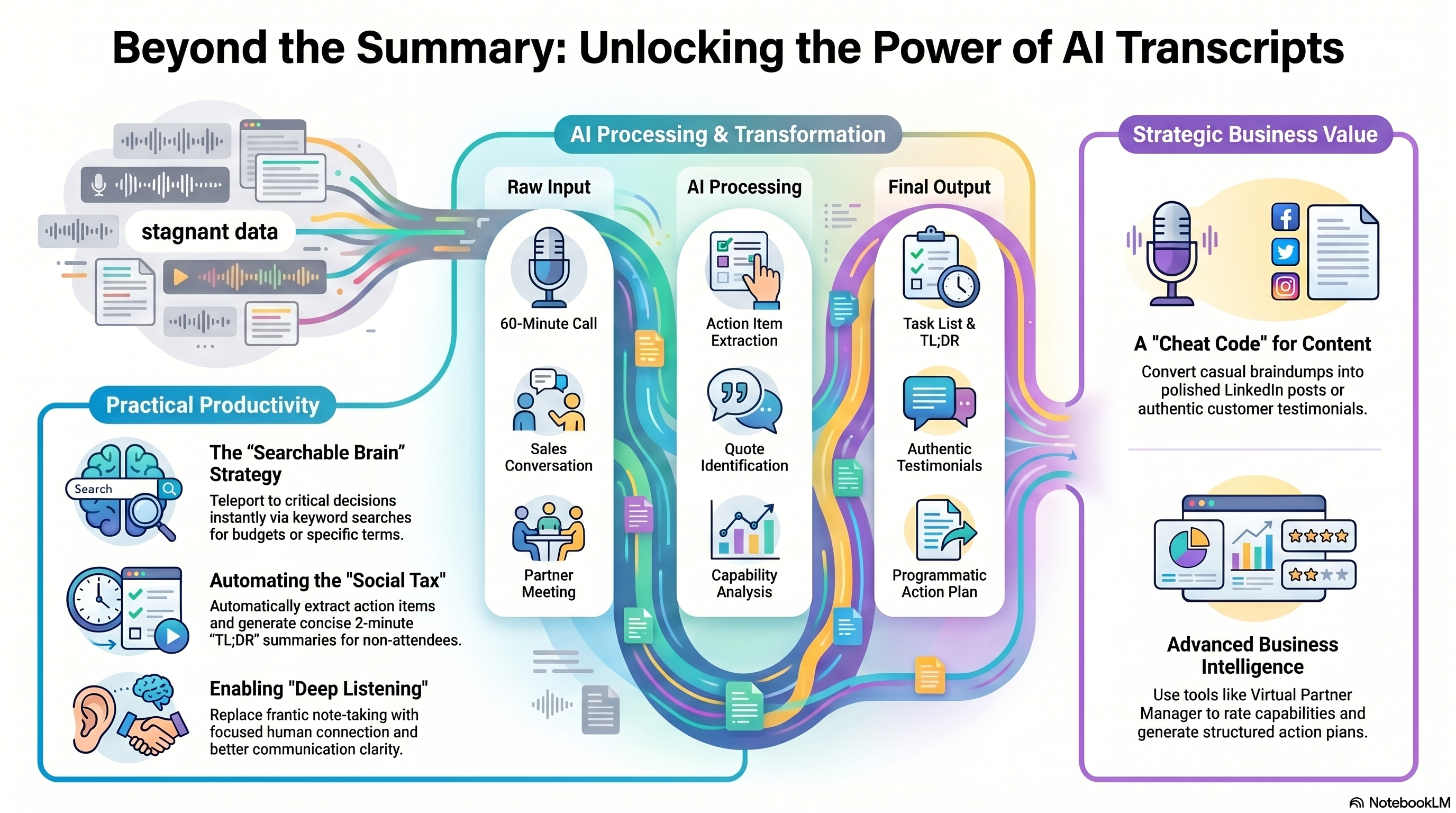
We’re all recording our meetings, but is anyone actually using the transcripts for anything more than a summary?
How do people use AI tools like CoPilot or Otter to actually get work done (instead of just hoarding data).
We’ve all been there. You’re in a meeting, and that familiar notification pops up: "Otter.ai has joined the call." For some, it feels like an intruder, for others, it’s a relief. But the big question remains: What do people actually do with these 40-page transcripts? Most people are using them as data to be searched for ad hoc answers, or as the source for summaries, but let’s take a deeper look first and conclude with how this fits into the Virtual Partner Manager story.
1. The "Searchable Brain" Strategy.
The AI transcript is an insurance policy. You don't need it until something goes wrong. You can use transcripts to settle "he-said, she-said" disputes and to teleport back to critical moments. Keyword Teleporting: Searching for "budget" or "API" to find the exact 10 seconds of a 60-minute meeting where a decision was finalized. Factual Accuracy: Eliminating the guesswork of "I thought we said Tuesday" by having an objective record of truth.
2. Automating the "Time Tax" of Meetings.
The most time consuming part of any meeting isn't the talking—it's managing the follow-up. AI is now handling the administrative heavy lifting. Action Item Extraction: Automatically pulling out phrases like "I'll send that over" and turning them into a task list. The 2-Minute “Too long, Didn’t Read” (TL;DR) : For those who couldn't attend, a 5-bullet summary is significantly more valuable than a transcript or a video recording.
3. Content Creation & Thought Leadership.
For marketers and creators, a transcript is a "cheat code" for the blank page. It’s much easier to edit a transcript of a 20-minute braindump than it is to write a blog post from scratch.
Ghost writing: Turning a casual Zoom conversation into a polished LinkedIn post or newsletter.
Customer Voice: Pulling exact quotes from sales calls for testimonials or case studies (ensuring the "voice of the customer" is actually authentic).
"The real value isn't in the storage of the text—it's in the AI Chat. Ask your transcript:
'What were the three biggest concerns the client had?' and get the answer in Seconds."
4. Deep Listening & Accessibility
As a very slow writer, or artist, I take way too long trying to record what is being said, so find I miss the next bit, and am constantly in catch up. One of the underrated benefits of AI transcription is how it changes our presence in the room. When you aren't frantically scribbling notes, you can actually look at the person speaking. This "Deep Listening" fosters better connections and clearer communication, especially for global teams where language barriers or accents might otherwise cause confusion.
5. Inject it in Your Business Process.
If we are to assume that the transcript is raw data, and we have business processes in place that have spent decades analysing and processing such low level sources as accounts transactions or stock movements, why don’t we use this new source to better power what we do? In modern software that helps run specific business tasks, we can. Take the Virtual Partner Manager from Strategic Clarity & AppCart. We can ingest transcripts, translate them as necessary and use them to answer the questions you may have about your partner relationships, and to then rate their capabilities in given business dimensions, such as Marketing or Operating Models to generate action plans that are specific to their organisation, but with a structure you can use to deliver in a programmatic manner, as well as the identification of the right partners for specific roles as you ecosystem requirements change.
Usage
And a quick note on "Bot" Etiquette. We have to address the elephant in the room: the social friction. Bringing an AI bot to a sensitive 1-on-1 can feel cold. The trend is shifting toward "invisible" notetakers—tools that record system audio locally rather than appearing as a participant in the meeting window. If you use these tools, transparency and consent remain the gold standard for professional etiquette.
Already looking for help? Check out Virtual Partner Manager. Or our website